
Developers
The Developers section of the Anchor Dashboard is where your engineering team configures and maintains your integration with Anchor. While product and operations teams focus on customers, accounts, and payments, developers use this area to:
-
Generate and rotate API keys used by your backend services.
-
Configure webhooks to receive real-time events (e.g. customer updates, account changes, payments, transfers).
-
Monitor, debug, and audit API traffic via logs and event history.
Create API Keys
API keys are the credentials your backend uses to authenticate with Anchor’s APIs. They effectively act as “passwords” for your systems, so they should be created and managed carefully.
In the Developers → API Keys area, you can:
-
Create environment-specific keys (e.g. sandbox vs production) for different services.
-
Revoke compromised or unused keys to reduce risk.
-
Delete unused API keys.
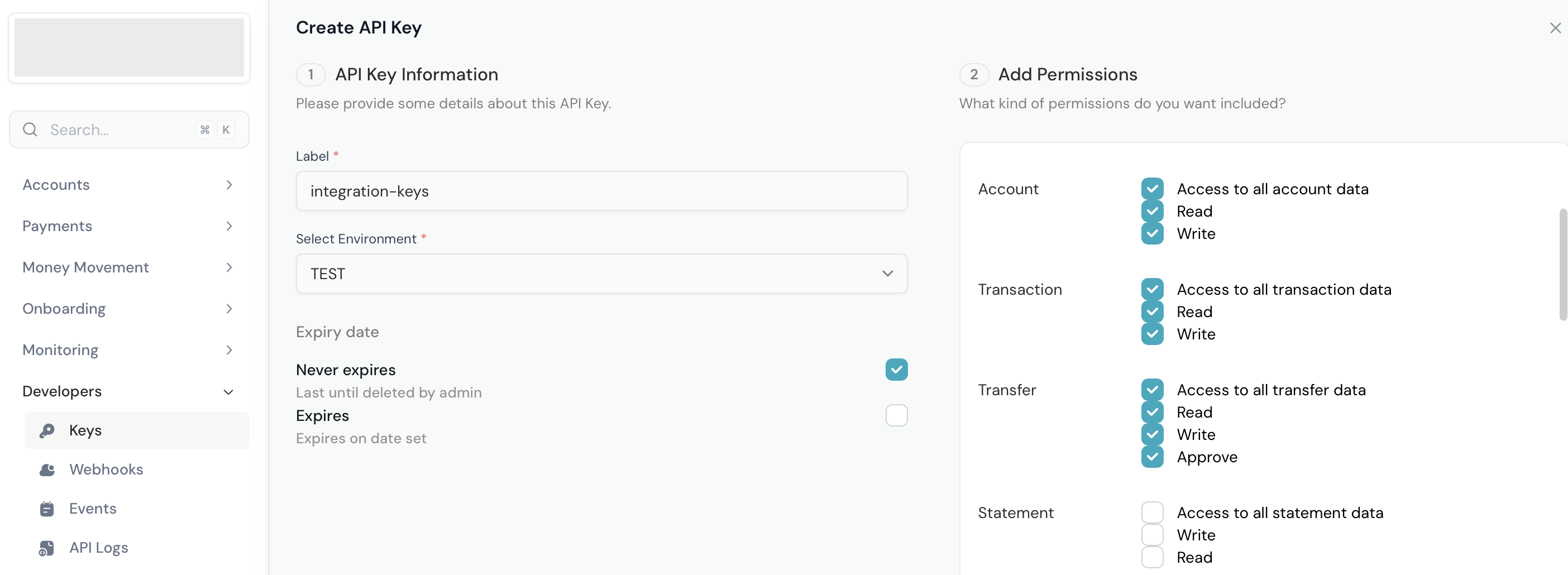
When you create a new API key, make sure you:
-
Store it securely in your secrets manager (not in source code or chats).
-
Update any services that rely on older keys to avoid downtime.
-
Keep a record of which system or microservice uses which key for easier debugging later.
Manage Webhooks
Webhooks allow Anchor to notify your systems in real time when important events happen (for example, when a deposit account is created, a transfer is completed, or a bill payment fails).
In the Developers → Webhooks area, you can:
-
Register one or more webhook endpoints (e.g. for different services or environments).
-
Select which event types each endpoint should receive.
-
Pause, update, or remove endpoints without changing your code.
At a high level, the recommended setup is:
- Acknowledge webhook event receipt with response code 200
- Verify webhook signatures before processing payment events. Read more on webhook verification here.
- Design your handlers to be idempotent (able to safely handle the same event more than once).
- Log webhook delivery attempts and responses on your side for easier troubleshooting.
Resend Webhook Event
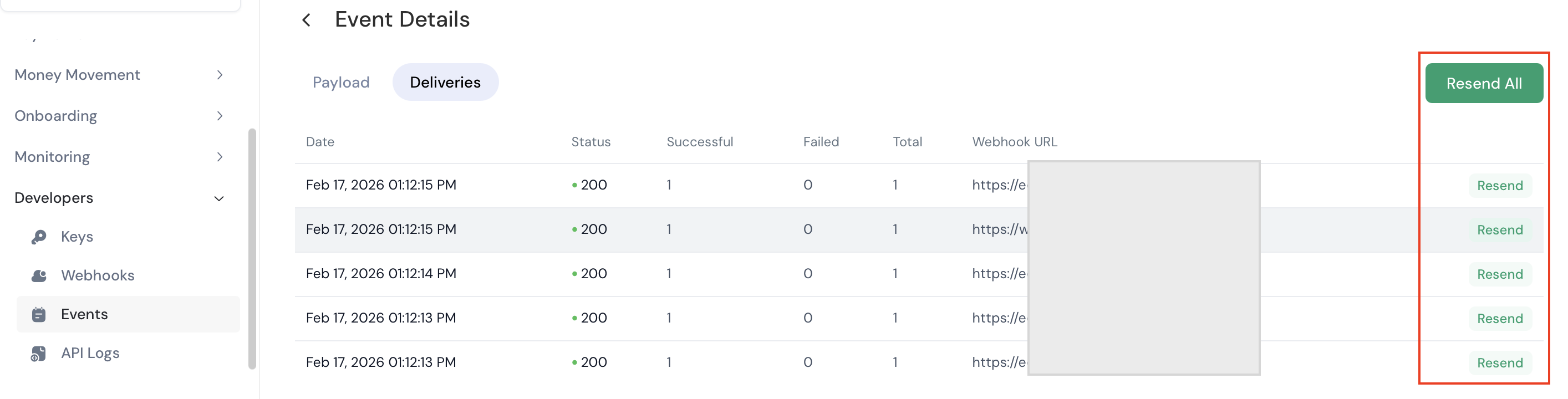
Sometimes your system might be temporarily unavailable, or a handler might fail due to a transient error. In those cases, being able to manually trigger a retry from the dashboard can save time.
From the Developers → Resend Events (or inside the event detail view), you can:
-
Search for specific events by ID, type, status, or time range.
-
Inspect the payload Anchor sent to your endpoint.
-
See the response your endpoint returned (status code and body).
-
Trigger a resend to the same endpoint after fixing the underlying issue.
API Logs
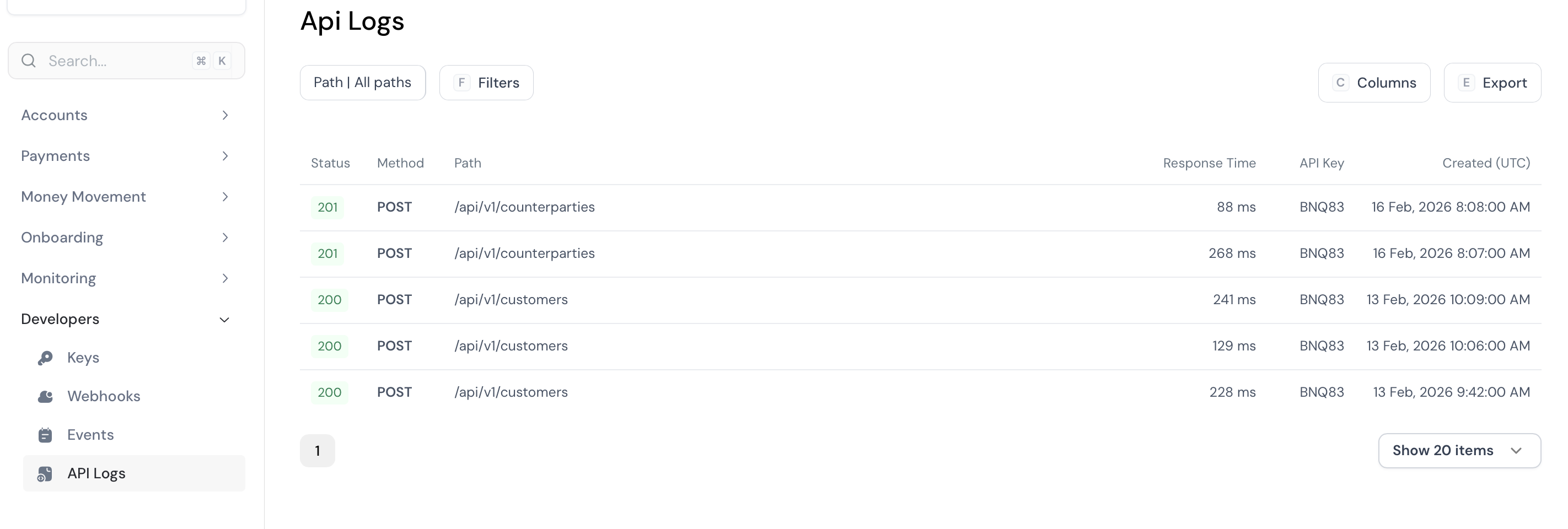
API Logs give you a request-by-request view of how your systems are interacting with Anchor. They are your first stop when debugging integration issues.
In the Developers → API Logs section, you can:
-
Filter by HTTP status code (e.g. 2xx, 4xx, 5xx), endpoint, or time range.
-
Inspect request headers and bodies (where safe), and the corresponding responses.
-
Identify common errors such as invalid parameters, missing authentication, or permission issues.
Get Test Funds in Sandbox - Simulate Inflow
You can simulate incoming payment to get test funds in sandbox mode. Below are the steps to fund an account in sandbox
- Login to Anchor Dashboard, go to the Accounts page, select Deposit Accounts then click on Simulate Transfer button.
- Fill the form by filling out your API Keys, Source Account Name and Source Account Number, and select the Virtual Account Number you want to fund from the dropdown list.
Note:
i) The Source Account Name and Source Account Number can be random values.
ii) If you do not see account number from the drop-down list, kindly navigate to the deposit account detail page and add account number. - On submission, the test fund will reflect in the deposit account linked to the Virtual Nuban.
Updated 6 months ago